 Cloak 2.0 is live
How to Make an App Fake a Crash on Mac
A lock tells people there is something to unlock. Sometimes that is the last thing you want. A partner, a child or a nosy coworker sees a lock on an app and starts asking about it.
Fake crash takes the question away. Anyone who opens the app sees the Mac’s own “quit unexpectedly” box, the same one a real crash shows. It looks broken, not private, so nobody gives it a second look.
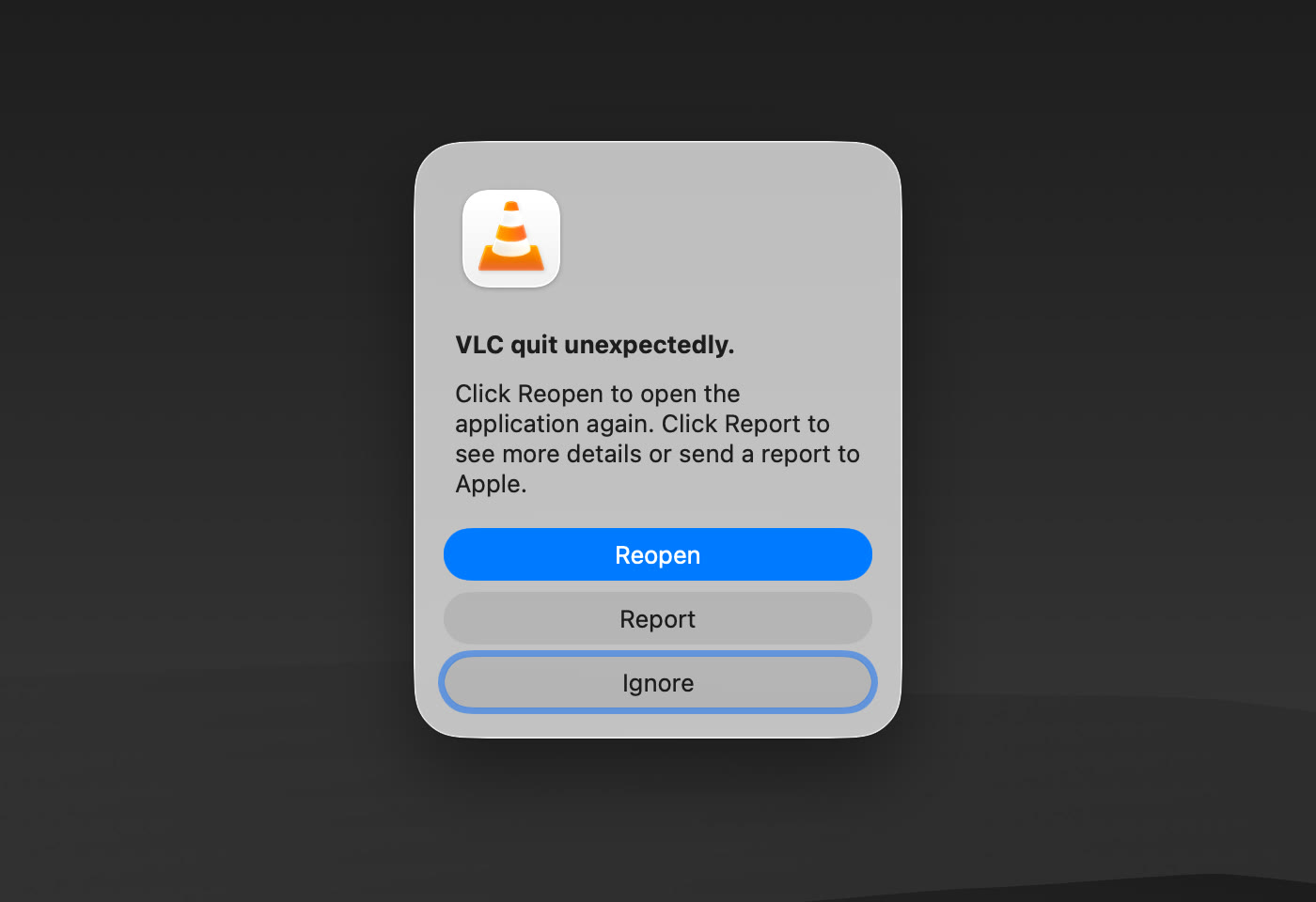
Fake crash is new in Cloak 2.0.
How to turn on fake crash
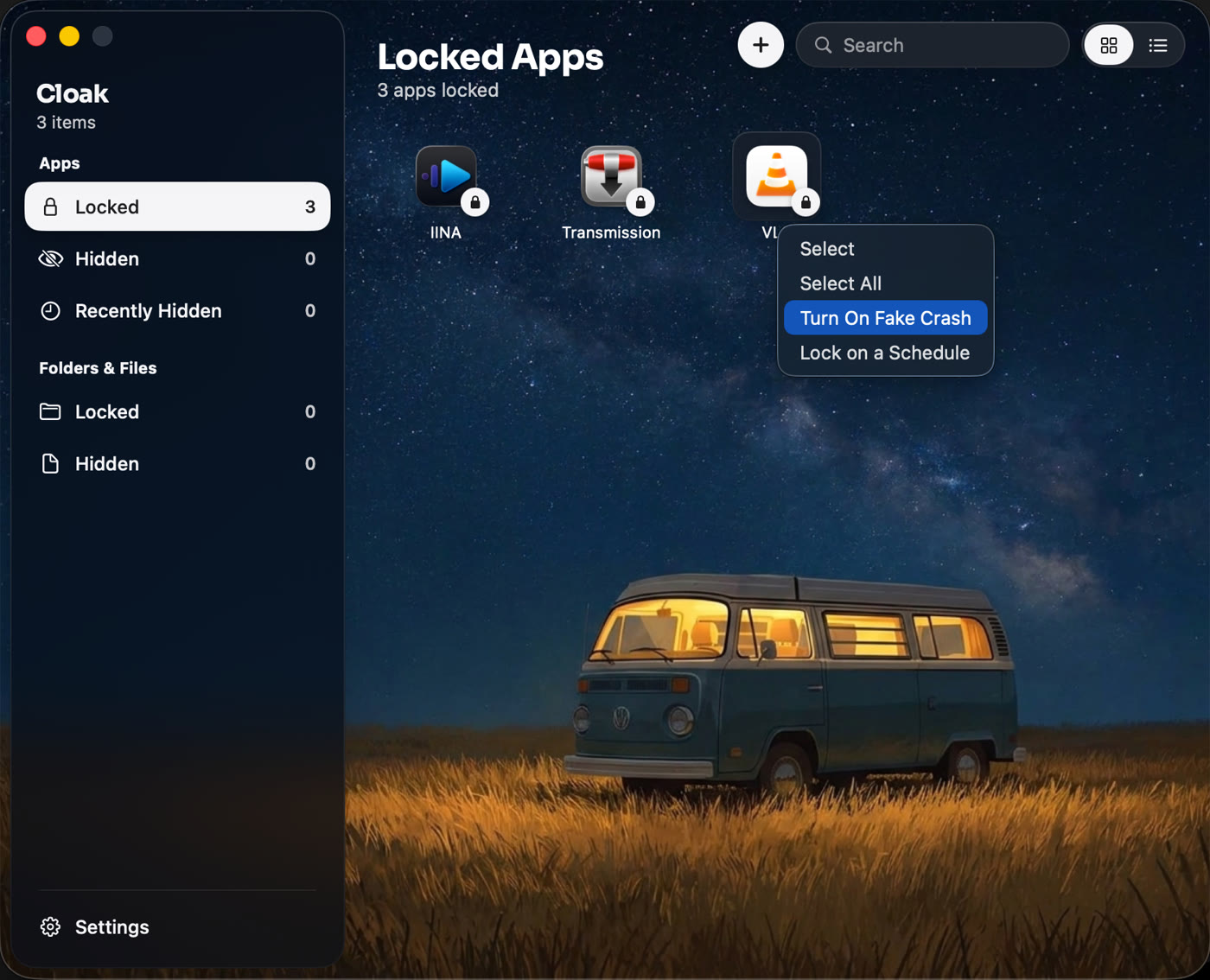
- Open Cloak and go to Locked apps. If the app is not there yet, click + and pick it.
- Right-click the app and choose Turn On Fake Crash.
- Cloak shows you how to get in. Click Try it to see the crash box for yourself. Nothing opens and no photo is taken while you practise.
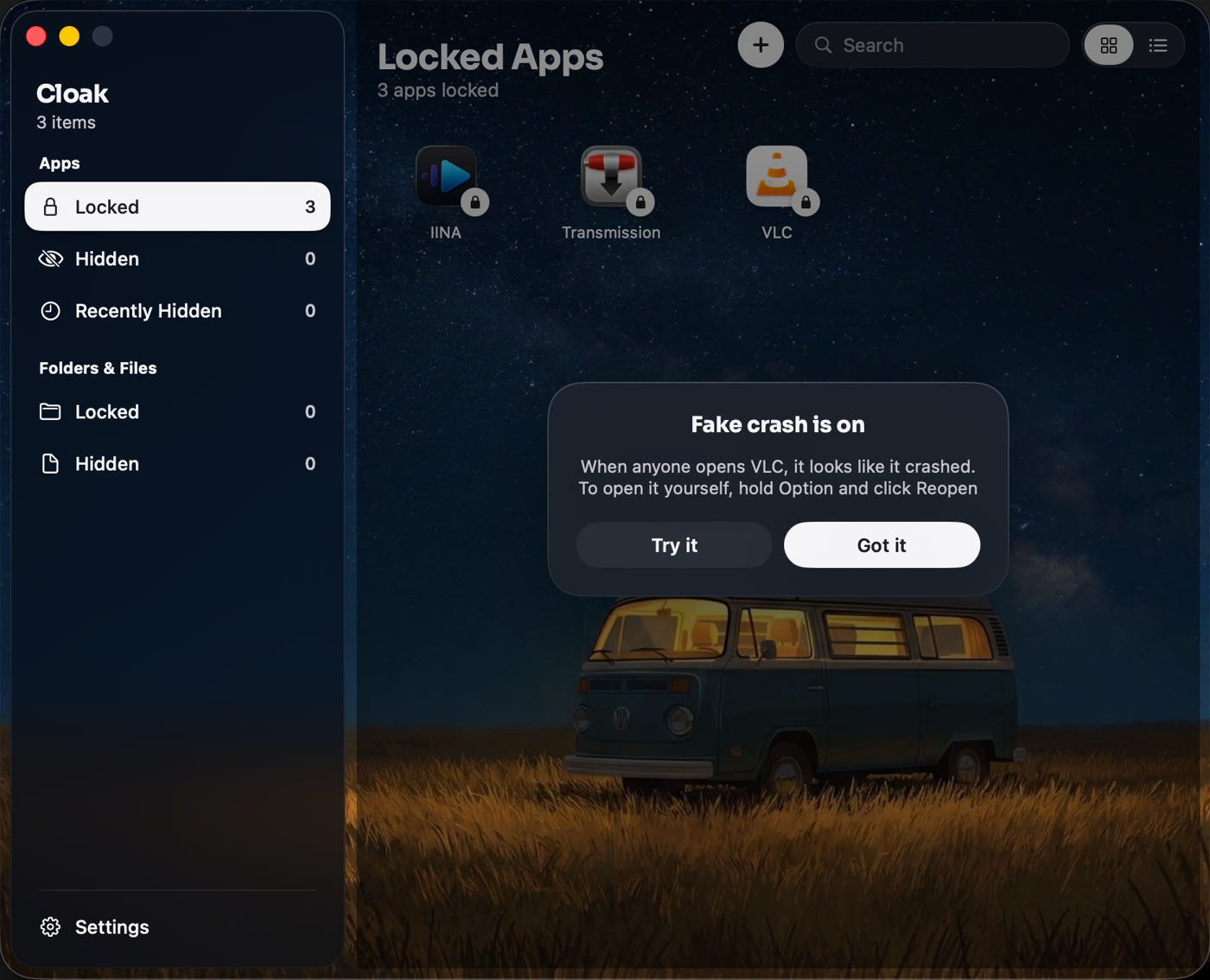
That is it. The app is still locked. It just looks broken to everyone else.
How to open the app yourself
Open the app as normal. When the crash box shows up, hold Option and click Reopen. Cloak asks for your Touch ID or Cloak password, and the app opens.
Anyone who clicks Reopen without Option gets the crash box again, the way a real broken app keeps crashing. Ignore and Report just close the box, and the app stays locked.
What it is good for
- A chat or dating app on a Mac other people use. A crash raises no questions. A lock does.
- A banking or budget app on a family Mac. Kids give up on an app that “doesn’t work”.
- Anything you would rather not explain. A broken app is boring. A locked app is interesting.
Turn on intruder photos in Settings too, and Cloak takes a picture of anyone who clicks Reopen, so you know who tried.
Turning it off
Right-click the app in Locked apps and choose Turn Off Fake Crash. It goes back to the normal Touch ID box.
Related
Get Cloak: a one-time purchase, with a 14-day refund.
Questions people ask
What does someone see when they open a fake-crash app?
The same box macOS shows when an app really crashes: the app's icon, 'quit unexpectedly', and the buttons Ignore, Report and Reopen. Clicking Reopen just shows the box again.
How do I open the app myself?
Hold the Option key and click Reopen. Cloak then asks for your Touch ID or Cloak password, and the app opens.
Does fake crash take an intruder photo?
Yes, if you have intruder photos turned on. When someone clicks Reopen without holding Option, Cloak takes a picture with the built-in camera.
Can I turn fake crash off again?
Yes. Right-click the app in Locked apps and choose Turn Off Fake Crash. The app goes back to asking for Touch ID.
Lock anything on your Mac
Cloak locks apps behind Touch ID, hides them completely, and encrypts folders with AES-256. Everything stays on your Mac. No account, one-time purchase.
Get Cloak