 Cloak 2.0 is live
How to Lock an App with a Keyboard Shortcut on Mac
Someone walks up behind you. You want the app on screen gone and locked, now, without opening Cloak and clicking through a list.
Lock the app in front does exactly that. Press your shortcut in any app, and Cloak locks it and closes it. The next time anyone opens it, Cloak asks for your Touch ID.
This is new in Cloak 2.0.
How to set the shortcut
- Open Cloak and click Settings.
- Go to Protection and find Lock the app in front.
- Click Set shortcut, then press the keys you want, for example Control Option Command L.
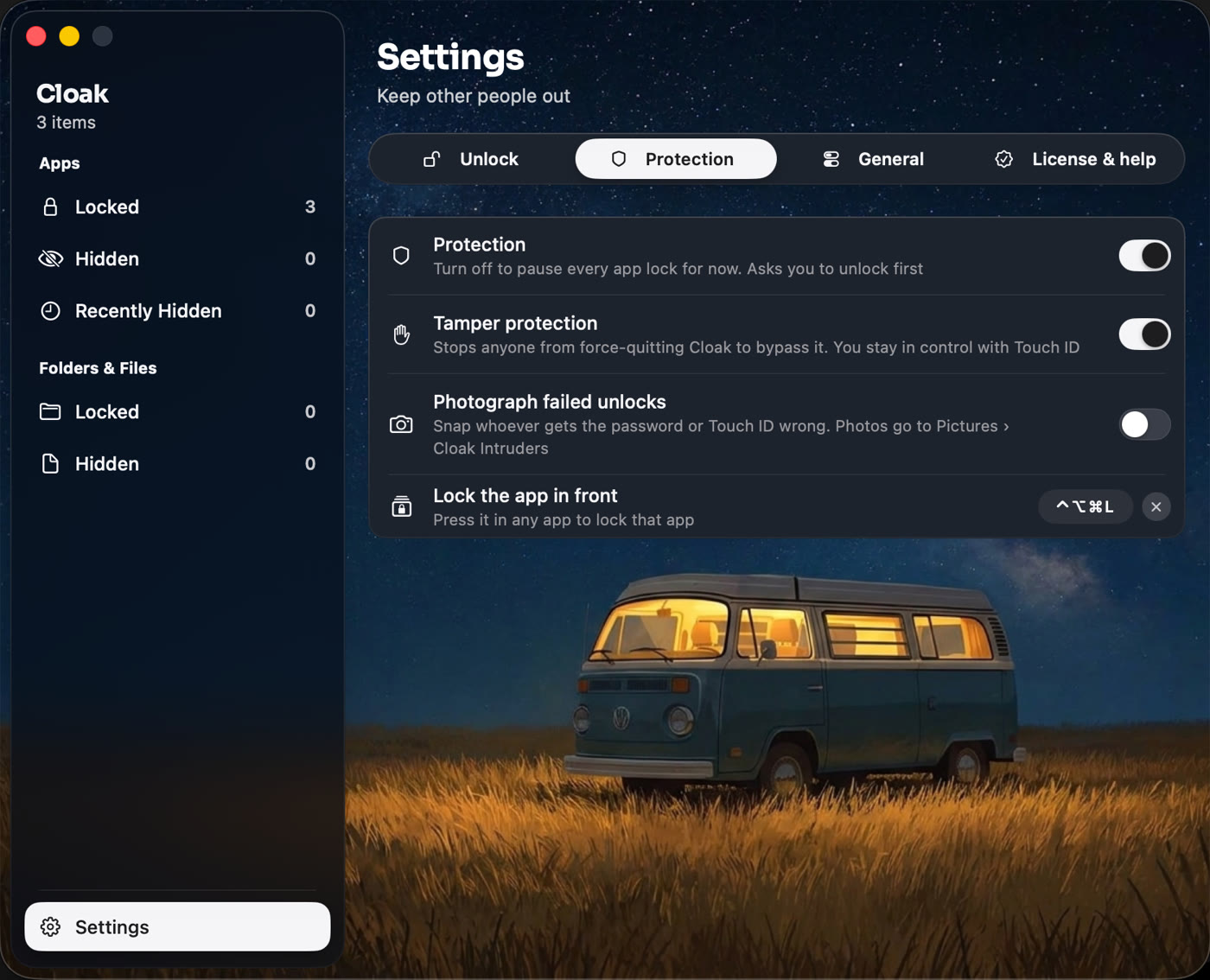
Pick keys you don’t already use in other apps. A combination with three modifier keys is safest.
How to use it
Press the shortcut in any app. Cloak:
- Adds the app to Locked apps, if it was not there already.
- Asks the app to quit. If you have unsaved work, the app shows its usual save box.
- Locks it. Opening it again asks for Touch ID or your Cloak password.
Apps that stay alive in the background after Quit, like WhatsApp, are closed for good as well, so nothing sits unlocked behind your back.
When it helps
- Open plan offices and cafés. One press and your email or chat is gone and locked.
- Kids grabbing the laptop. Lock the app you were in before you hand it over.
- Locking a new app fast. It is the quickest way to add an app to Locked apps. Open it, press the keys, done.
Related
Get Cloak: a one-time purchase, with a 14-day refund.
Questions people ask
What happens to my unsaved work?
Cloak asks the app to quit the normal way, so an app with unsaved work shows its usual save box first. Nothing is thrown away without asking.
Does the app stay locked afterwards?
Yes. The app is added to Locked apps, so the next time anyone opens it, Cloak asks for Touch ID or your Cloak password.
Does it work on every app?
It works on normal apps with a window. It does not lock Finder or Cloak itself.
What about apps that keep running after Quit, like WhatsApp?
Cloak closes those for good too, so they can't sit unlocked in the background.
Lock anything on your Mac
Cloak locks apps behind Touch ID, hides them completely, and encrypts folders with AES-256. Everything stays on your Mac. No account, one-time purchase.
Get Cloak